Replay rules
CommunityTeamPro
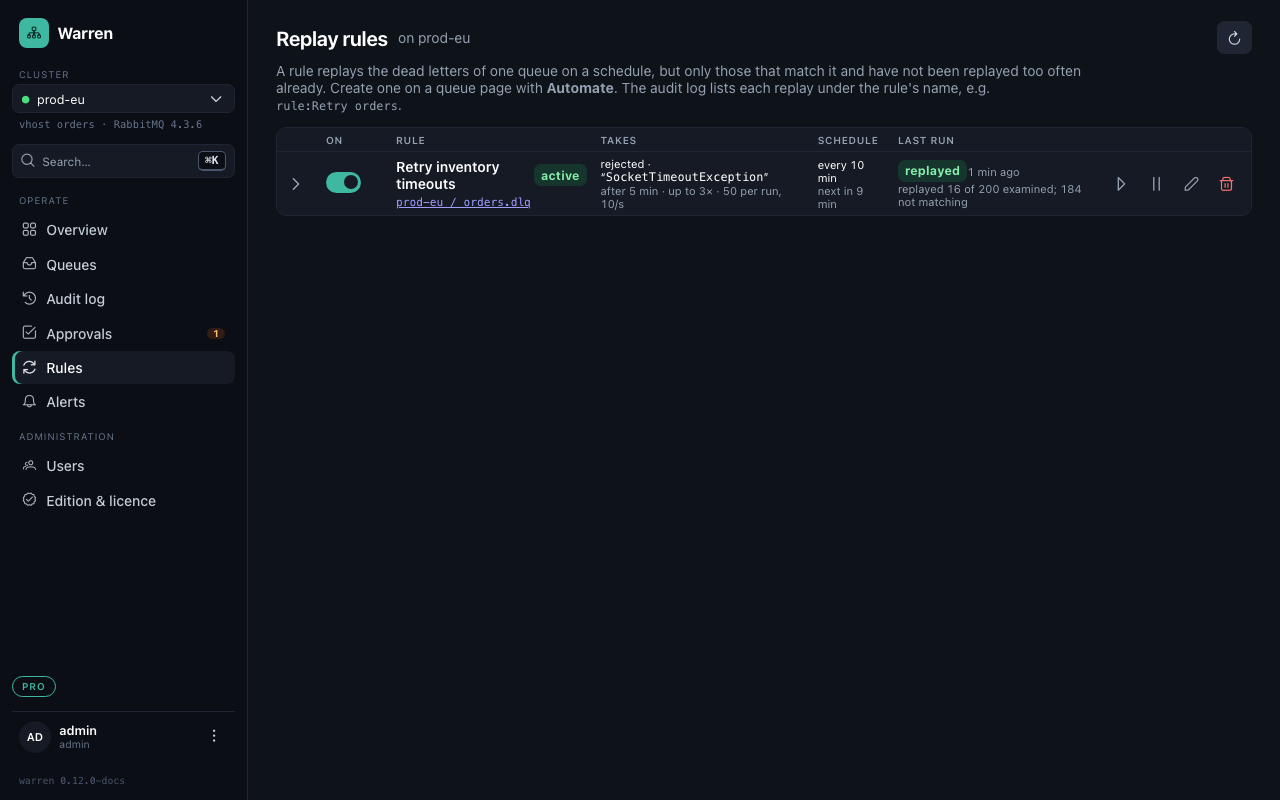
A timeout to a downstream service that was back a minute later should not need a person at 3 a.m. A replay rule takes care of it: on a schedule, it replays the dead letters of one queue that match it, and leaves the rest alone.
Set one up
On a queue page press Automate (a), or edit a rule under Rules. The dialog shows on the right what the rule would replay right now.
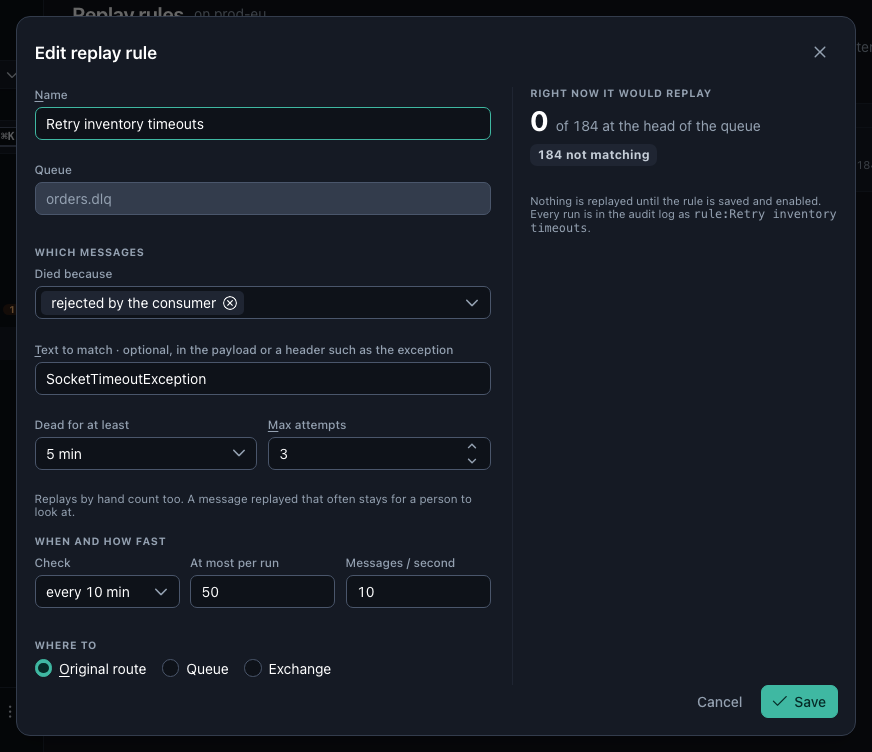
| Setting | What it does |
|---|---|
| Died because | only these reasons, e.g. rejected or expired |
| Text to match | only messages whose payload or a header (such as the exception) contains it |
| Dead for at least | leaves fresh dead letters alone, so a replay does not run into the same outage |
| Max attempts | a message replayed that often, by rules or by hand, stays for a person to look at |
| Check | how often the rule runs, every minute to once a day |
| At most per run, messages per second | how much it takes, and how fast |
| Where to | original route, a queue, or an exchange, as for a replay by hand |
| Only with consumers | skips a run while nobody consumes the target, so messages do not pile up there |
What keeps it safe
- A rule's replay has the same publisher confirms, pacing and audit entry as one started by hand; the audit log names the rule as the requester (
rule:Retry inventory timeouts). - Attempts are counted in Warren's own header, so RabbitMQ resetting
x-deathon republish does not reset them. - After 3 failed replays in a row the rule pauses itself and tells its alert channel. Resume it once the cause is fixed.
- Quorum queues whose peeks count as deliveries (RabbitMQ 3.13) are skipped, see Quorum queues.
Run now starts a run at once; Pause stops the schedule without deleting the rule.