Queues and why messages died
The queue list
Queues lists every queue of the cluster entry selected in the sidebar. Dead-letter queues come first, with their message count in red.
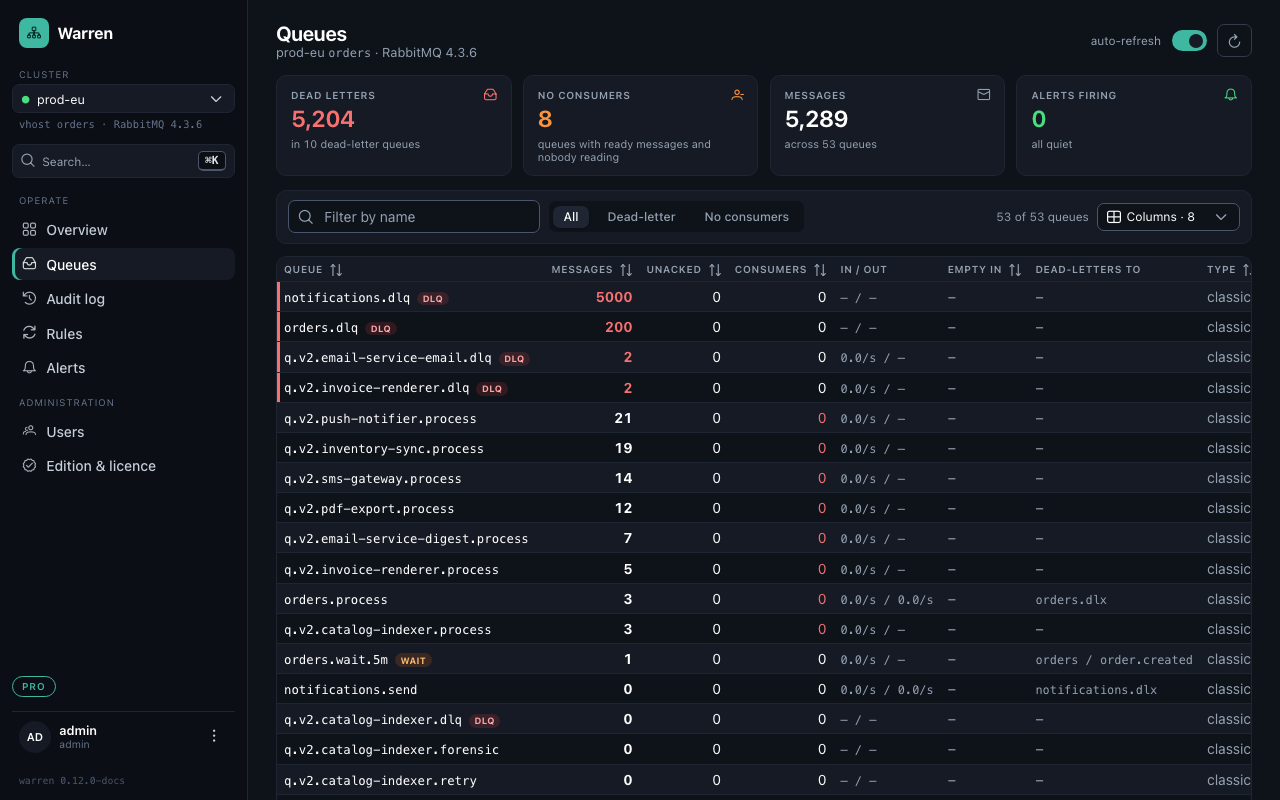
Warren recognises a dead-letter queue by its binding to an exchange that another queue uses as x-dead-letter-exchange, or by its name (dlq, dlx, dead-letter, .dead, .failed, MassTransit's _error and _skipped; WARREN_DLQ_NAME_PATTERN changes the list). Tags mark the special ones:
| Tag | Meaning |
|---|---|
DLQ | collects dead letters |
WAIT | a retry queue with a TTL that sends messages back to work; empty ones stay hidden until you search for them |
PARKED | a parking queue Warren moves poison messages to |
LIMIT | a quorum queue whose every peek counts as a delivery (RabbitMQ 3.13), see Quorum queues |
Empty in says when a queue is empty at the current pace, from the depth of the last ten minutes. Columns hides what you do not need.
Why they died
Open a queue to read its messages without taking them. The panel on top groups the loaded messages:
- Reason:
rejected,expired,maxlen,delivery_limit, orrepublishedwhen a consumer moved the message itself. - Died in: the queue that dead-lettered it.
- Routing key it was published with.
- Exception the consumer recorded (Spring's
x-exception-*, MassTransit'sMT-Fault-*), with numbers and ids replaced by<n>so equal failures fall into one group. - Deaths: how often it went round already.
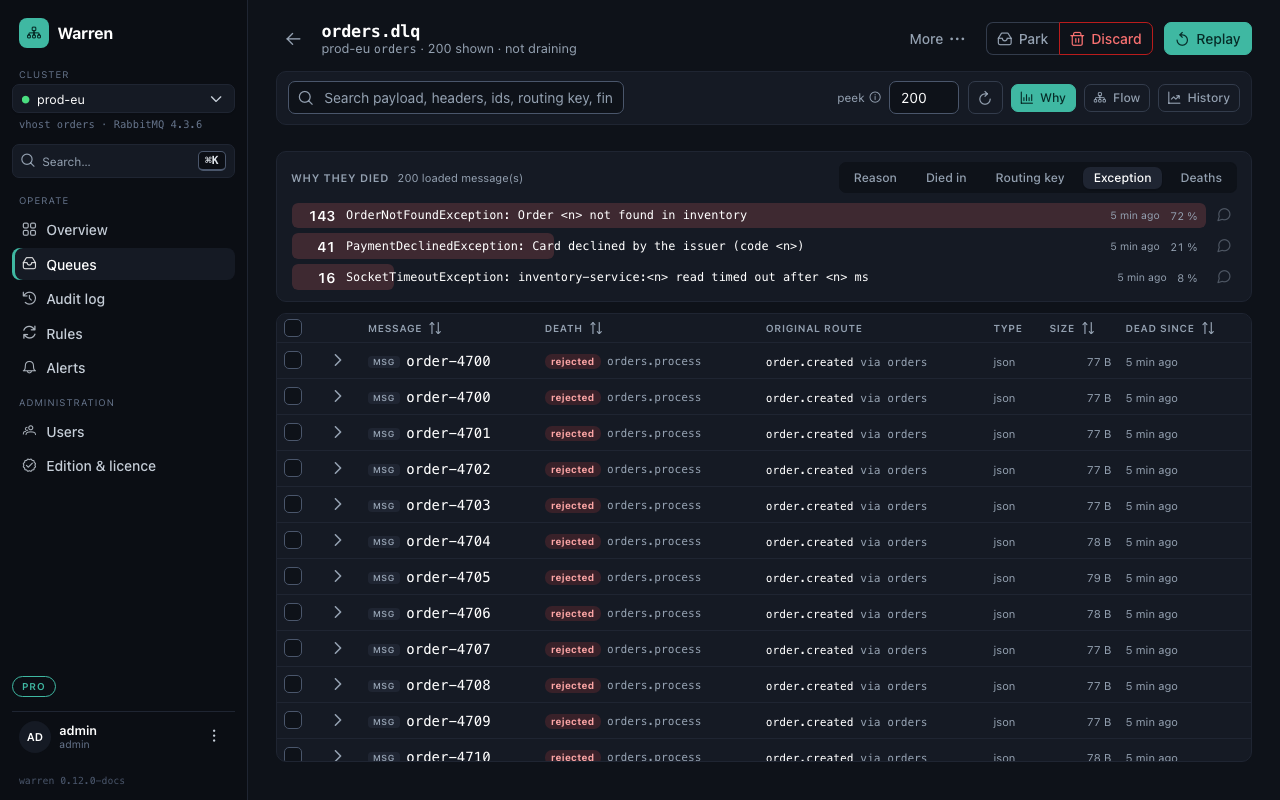
Click a group to narrow the table to it. Peek sets how many messages are read (up to 200 at a time); the rest of the queue is reachable through a matching selection.
Notes on a group
Some dead letters are known: a bug with a fix on the way, a bank that declines cards. Operators can put a note on a group, and everyone sees it under that bar, in each message of the group, and at the top of the replay dialog when a replay would take such messages.

Click the speech bubble at the end of a bar to write one; a note belongs to one group in one queue and stays when the messages are gone.
Search
The search field (/) finds text in payloads, message and correlation ids, routing keys, fingerprints and header values, where consumers leave their exception messages. A search can be applied to the whole queue as a matching selection in the replay, discard and park dialogs.