Alert rules
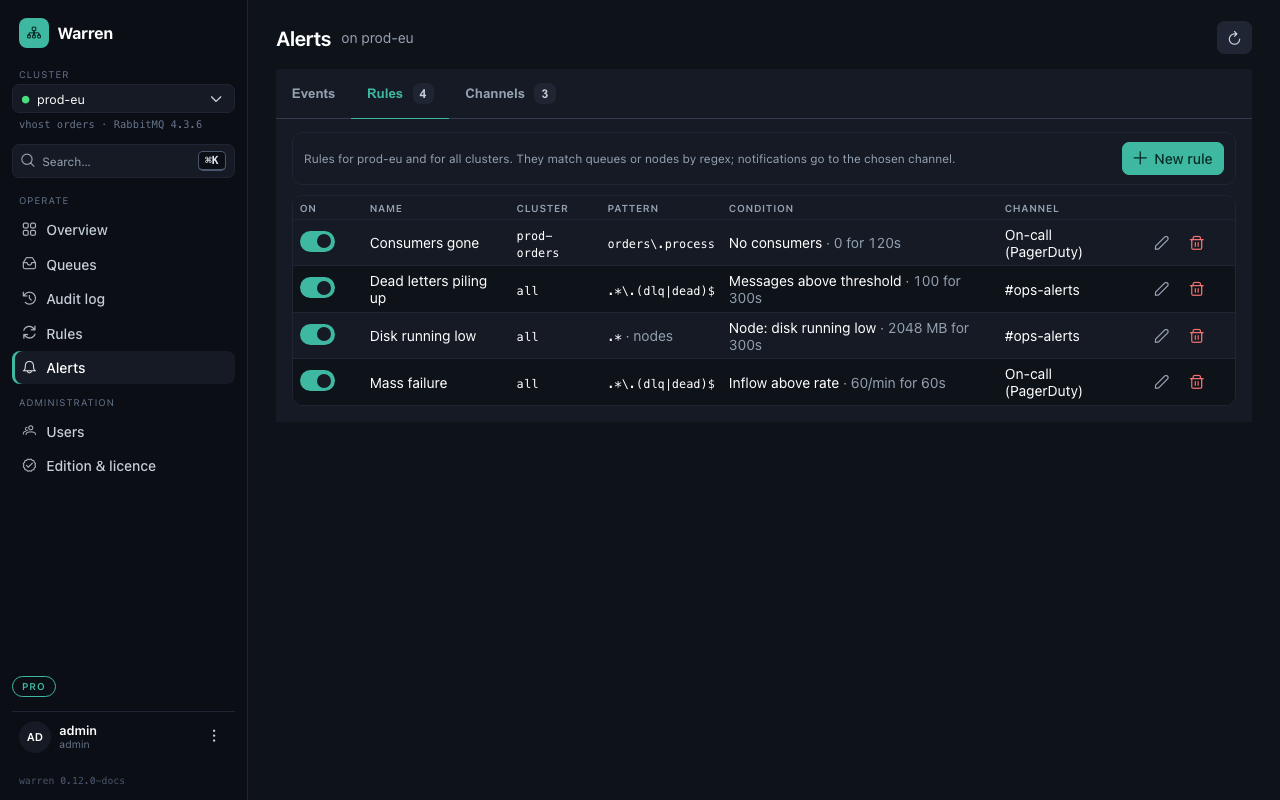
Warren samples every queue every 30 seconds. An alert rule says what to watch, what counts as a problem, and how long it has to last before anyone is told.
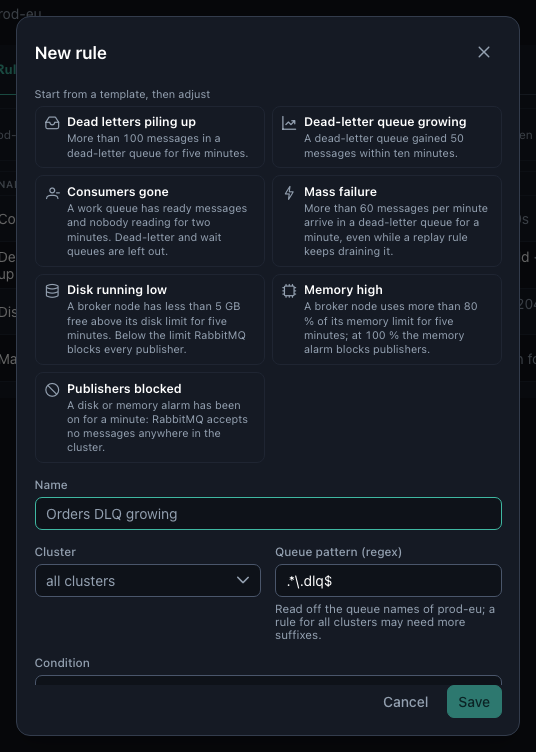
Start from a template
Alerts → Rules → New rule offers templates for what usually goes wrong. Pick one and adjust; the queue pattern is read off the naming of the cluster you are looking at (.dlq, .dead, _error …).
| Condition | Fires when | Typical use |
|---|---|---|
| Messages above threshold | a queue holds more than N messages | dead letters piling up |
| Growth within a window | a queue gained N messages within the window | a dead-letter queue filling right now |
| Inflow above rate | more than N messages per minute arrive | a mass failure, even while a replay rule keeps draining the queue |
| No consumers | ready messages wait and nobody consumes | a crashed service on a work queue |
| Node: disk running low | free disk above disk_free_limit is below N MB | act before RabbitMQ blocks every publisher |
| Node: memory high | memory in use is above N % of the high watermark | the same for memory |
| Node: resource alarm | a disk or memory alarm is on | publishers are blocked right now |
Each rule matches queue names (or, for node conditions, node names) by regular expression, on one cluster or on all of them.
Once, again, and all clear
For N seconds makes a condition hold for a while before the rule fires, so a short spike stays quiet. A firing alert notifies its channel once, reminds again after WARREN_ALERTING_RENOTIFY_AFTER (4 hours) while it lasts, and sends the all-clear when the queue or node recovers. The Events tab keeps the history: when it fired, the value, when it resolved.
Rules belong to admins; operators and viewers see them and their events.