Export, import and publish
Export
Export (e) copies the selected messages or the first N (up to 10,000) into an NDJSON file: one message per line with payload, properties and headers. The queue keeps them; the audit log records who exported how many from where.
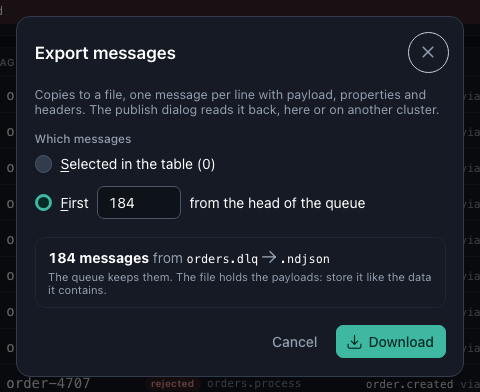
Typical uses: keep a copy before a purge, attach the failing messages to a bug report, or reproduce a failure on staging.
Import
Load an exported file in the Publish dialog to publish all its messages to one target, a queue or an exchange with a routing key, as one audited action (up to 1,000 messages, 50 MiB).
Publish one message
Publish (p) writes one new message to a queue or an exchange: typed in, loaded from a downloaded message (which fills in everything), or as a copy of a message in the queue. Nothing is taken out of any queue, and the message carries x-warren-published-by. Bodies up to 1 MiB (WARREN_MAX_PUBLISH_BYTES).
Use it to test a consumer after a fix with exactly the message that failed, before replaying the other 142.