Keyboard
CommunityTeamPro
? shows the shortcuts of the page you are on.
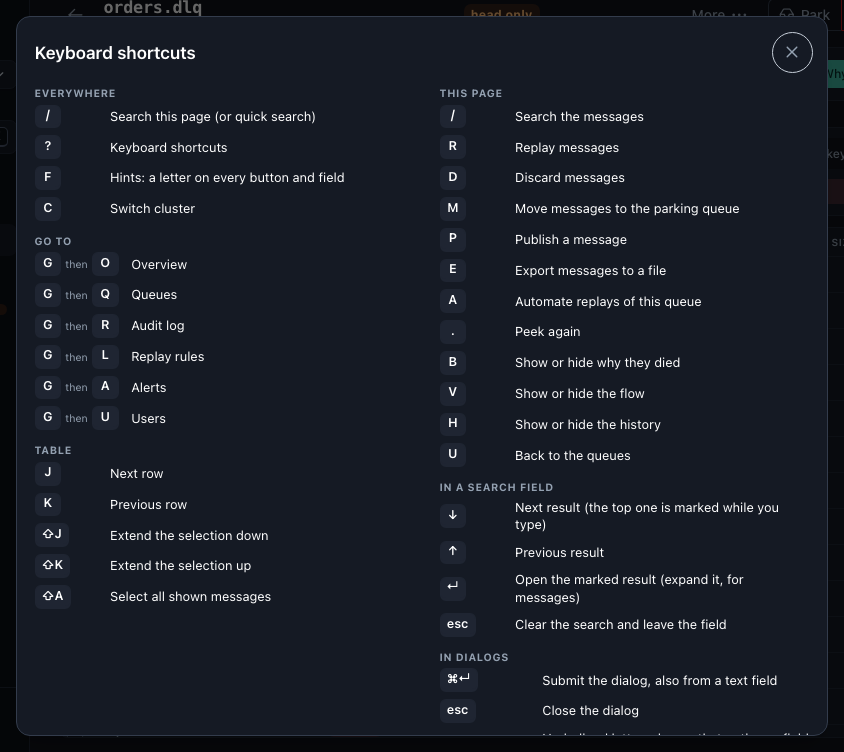
The ones to remember
| Keys | What it does |
|---|---|
/ | search the page, or quick search |
g o, g q, g r, g l, g a, g u | go to the overview, queues, audit log, replay rules, alerts, users |
c | switch the cluster |
j / k, Enter | move through a table, open or expand the row |
x, Shift+J / Shift+K, Shift+A | select the row, extend the selection, select all shown |
r, d, m, e, p | replay, discard, park, export, publish (on a queue page) |
a | automate replays of this queue (replay rule) |
h, b, v | show or hide history, why they died, the flow |
⌘ Enter / Ctrl Enter | submit a dialog, also from a text field |
Alt + underlined letter | pick an option in a dialog |
f | put a letter on every visible button and field |
⌘K / Ctrl K | command palette: pages, queues and the page's actions |