Alert channels and quiet hours
CommunityTeamPro
A channel is where a rule's notifications go. Admins set them up under Alerts → Channels; every rule names one.
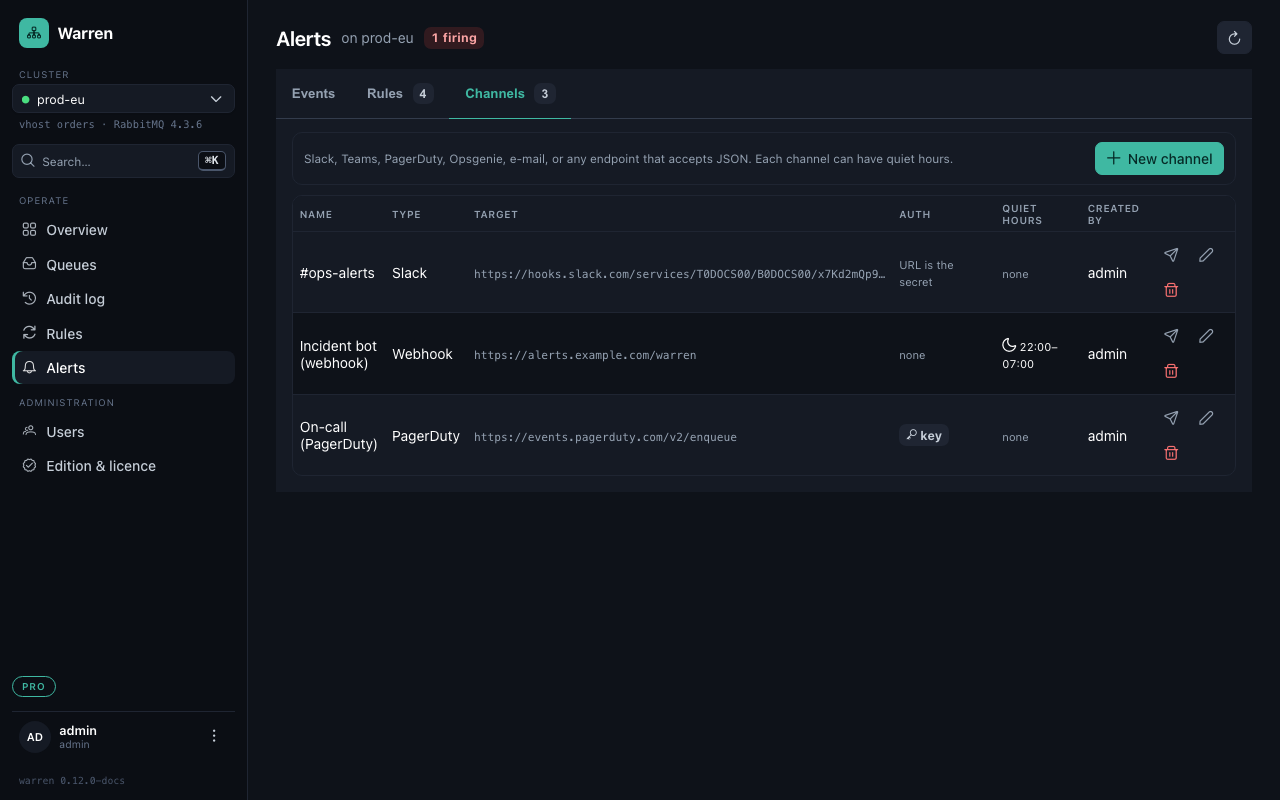
Channel types
| Type | What to enter | What happens |
|---|---|---|
| Slack, Microsoft Teams | the incoming webhook URL | one line of text per event, with a link to the queue |
| Webhook | any URL; optionally a header (e.g. Authorization: Bearer …) and a signing secret | JSON with the full event; with a secret, X-Warren-Signature is an HMAC-SHA256 of timestamp and body |
| PagerDuty | the routing key of an Events API v2 integration | a firing alert triggers an incident, the all-clear resolves it; repeats stay on the same incident |
| Opsgenie | an API integration key; https://api.eu.opsgenie.com for the EU instance | a firing alert opens an Opsgenie alert, the all-clear closes it |
| recipients, separated by commas | one mail per event, through the SMTP server in WARREN_SMTP_* |
Keys, header values and signing secrets are write-only: Warren stores them and never shows them again. Slack and Teams URLs are the secret themselves, so only admins see them in full.
Send test delivers a test event. For PagerDuty and Opsgenie Warren closes the test incident right away, so nobody on call is paged for it.
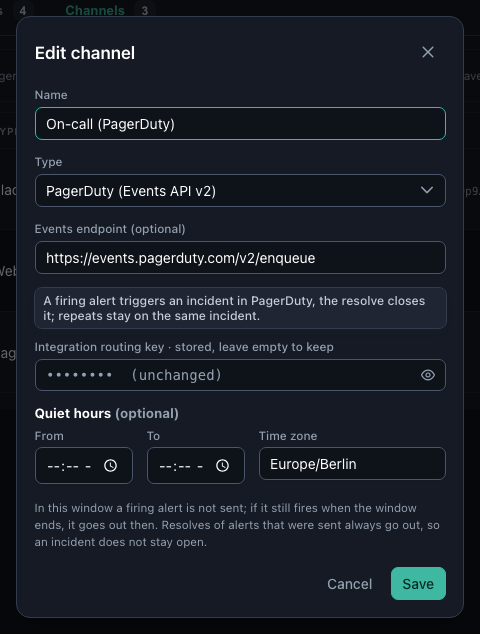
Quiet hours
A channel can have a daily window, for example 22:00 to 07:00 in Europe/Berlin, in which it stays silent:
- An alert that fires in the window is not sent. If it still fires when the window ends, it goes out then.
- Reminders wait the same way.
- An all-clear goes out whenever the alert itself went out, so an incident in PagerDuty or Opsgenie never stays open.
- An alert that fired and recovered within the window stays silent; the Events tab still has it.
Typical setup: a Slack channel with quiet hours for warnings, and PagerDuty without them for what has to wake someone.
E-mail channels need a mail server:
| Variable | Default | What it is |
|---|---|---|
WARREN_SMTP_HOST / WARREN_SMTP_PORT | – / 587 | the server |
WARREN_SMTP_USERNAME / WARREN_SMTP_PASSWORD | – | login, if the server wants one |
WARREN_SMTP_FROM | – | the sender, e.g. Warren <warren@example.com> |
WARREN_SMTP_STARTTLS / WARREN_SMTP_SSL | true / false | STARTTLS on 587, or TLS from the start on 465 |