Audit log
Audit log (g r) lists every action on messages: replays by hand and by rules, parks, discards, purges, exports and publishes.
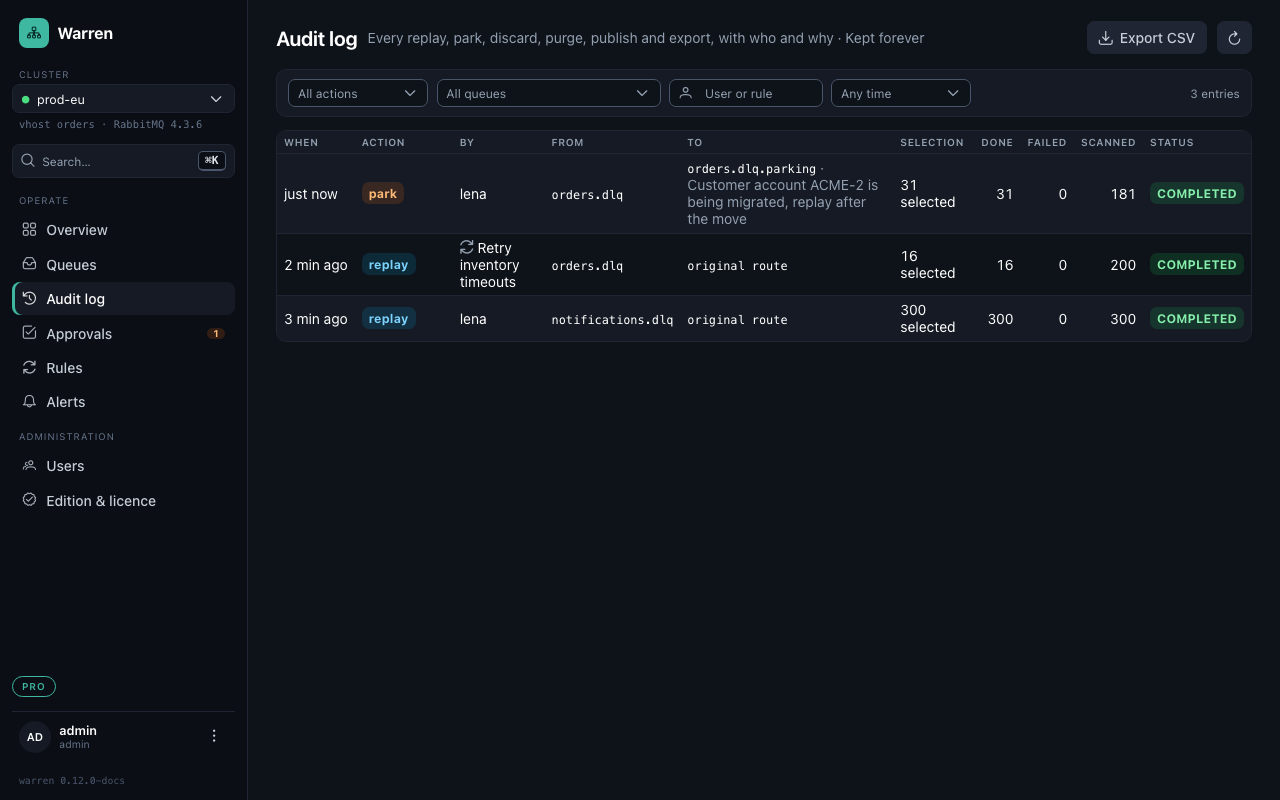
Filter and share
Filter by action, queue, user or rule, and time range. The filters stay in the URL, so "everything lena discarded on orders.dlq this week" is a link you can paste into the incident ticket.
One action in detail
Click an entry to see it in full: who asked, who approved, target, rate, and every message with its outcome.
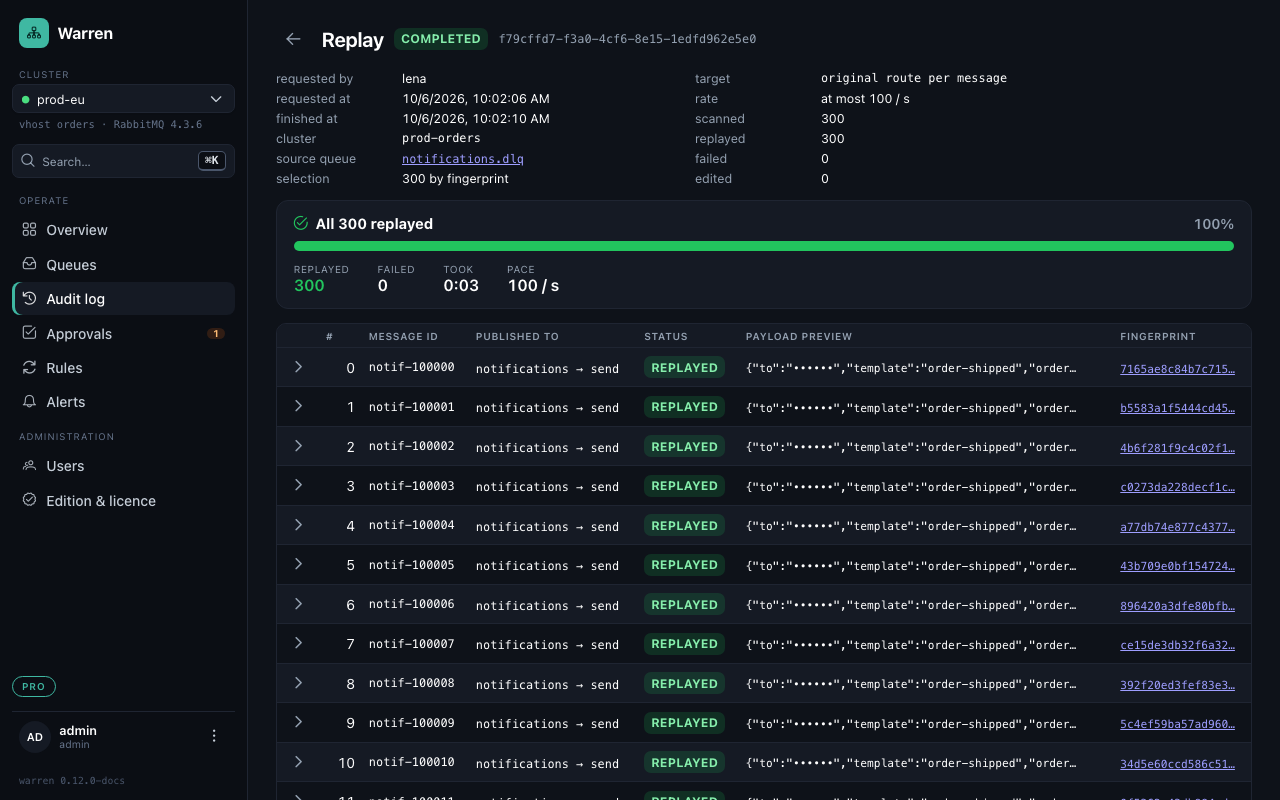
Each message can be opened as it sat in the queue: why it died, properties, headers, death history and the first 16 KiB of its body (WARREN_AUDIT_PAYLOAD_BYTES); for an edited message also what was published instead. A running replay shows its progress here and has a Stop button.
Retention
WARREN_AUDIT_RETENTION (e.g. 90d) deletes finished actions and resolved alert events after that age; by default nothing is deleted.
Export and forwarding (Pro)
- Export CSV gives the filtered list as CSV, one row per action or per message (no payloads).
WARREN_AUDIT_WEBHOOK_URLandWARREN_AUDIT_SYSLOG_HOSTforward every finished action and every approval decision as it happens, as JSON by webhook (optionally signed) or as RFC 5424 syslog over UDP, TCP or TLS. Events wait in an outbox while the receiver is down and go out in order.WARREN_AUDIT_MIN_RETENTION(e.g.365d) is a floor: nothing younger is ever deleted, and a shorter retention stops Warren at startup.