Getting started
Warren runs as one container next to your RabbitMQ. It needs the management API (for the queue list and peeks) and AMQP (for replays). Nothing leaves your network: no account, no telemetry.
Try it with a demo broker
Docker is all you need. The try-it compose file starts a RabbitMQ with real dead letters (rejected, expired, and republished by a consumer with its exception) and Warren next to it:
curl -O https://warrenops.io/docker-compose.try.yml
docker compose -f docker-compose.try.yml up -d
Open http://localhost:8080 and sign in as admin / admin. docker compose -f docker-compose.try.yml down -v removes everything again. Ports taken? Put TRY_WARREN_PORT=8081 TRY_RABBIT_UI_PORT=15690 in front.
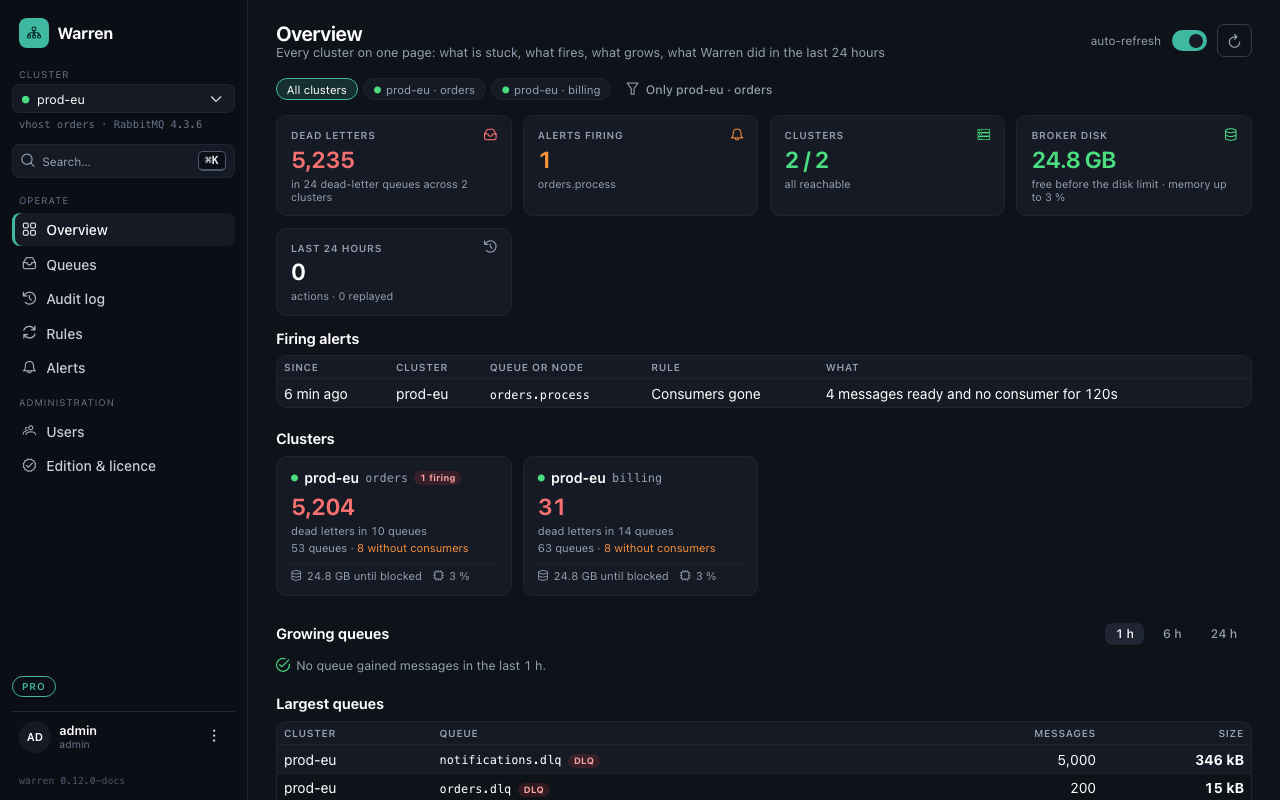
Run it against your own RabbitMQ
One cluster entry is configured with environment variables. Warren's RabbitMQ user needs the management tag and read and write on the vhost; the monitoring tag adds disk and memory of the nodes.
docker run -d --name warren -p 8080:8080 -v warren-data:/app/data \
  -e WARREN_RABBIT_MANAGEMENT_URL=http://rabbitmq:15672 \
  -e WARREN_RABBIT_HOST=rabbitmq \
  -e WARREN_RABBIT_USERNAME=warren -e WARREN_RABBIT_PASSWORD='…' \
  -e WARREN_ADMIN_PASSWORD='change-me' \
ghcr.io/viba88/warren:0.12| Variable | Default | What it is |
|---|---|---|
WARREN_RABBIT_MANAGEMENT_URL | http://localhost:15672 | The management HTTP API |
WARREN_RABBIT_HOST / WARREN_RABBIT_PORT | localhost / 5672 | AMQP, used for replays |
WARREN_RABBIT_USERNAME / WARREN_RABBIT_PASSWORD | guest / guest | Warren's RabbitMQ user |
WARREN_RABBIT_VHOST | / | The vhost this entry covers |
WARREN_ADMIN_USERNAME / WARREN_ADMIN_PASSWORD | admin / admin | The local admin. Change it. |
WARREN_DATA_DIR | /app/data | Embedded database: audit log, users, metrics, alerts |
Several brokers or vhosts, more users and PostgreSQL instead of the embedded database are set up in an application.yml; the README has every option.
On Kubernetes
The Helm chart is published as an OCI chart:
helm install warren oci://ghcr.io/viba88/charts/warren \
  --set rabbitmq.managementUrl=http://rabbitmq:15672 \
  --set rabbitmq.host=rabbitmq \
  --set rabbitmq.username=warren \
  --set rabbitmq.password='…'
kubectl port-forward svc/warren 8080:8080
Running Warren on Kubernetes without the chart? A Service named warren makes Kubernetes set WARREN_PORT in every pod of the namespace. Set enableServiceLinks: false on the pod or name the Service differently.
What you see first
The queue list shows every queue of the cluster entry, dead-letter queues on top. Warren recognises them by the bindings to a dead-letter exchange and by their names (.dlq, .dead, _error, _skipped and more), and marks parking queues and quorum queues with a delivery limit.
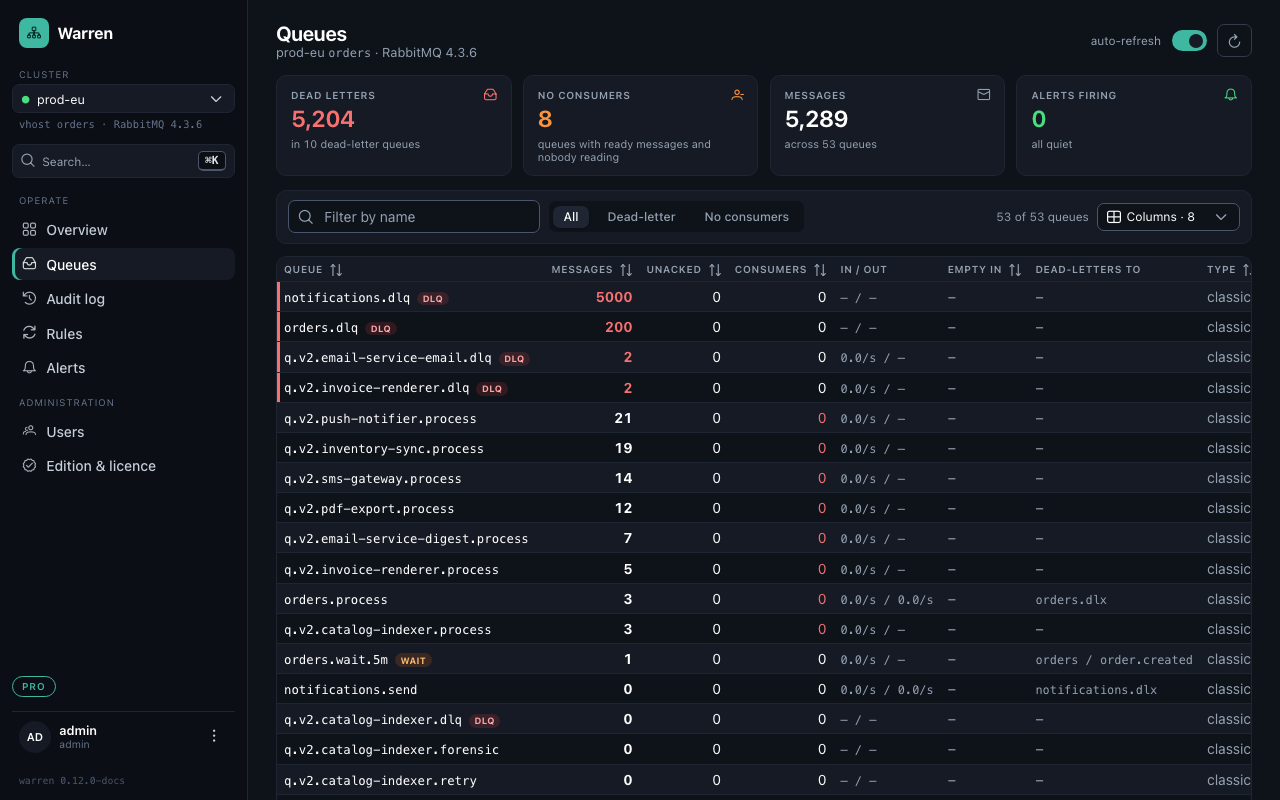
Open a dead-letter queue to see why its messages died, grouped by reason, queue, routing key or exception, and continue with replaying them.