Reading a message
Press Enter on a row, or click its arrow, to open the message.
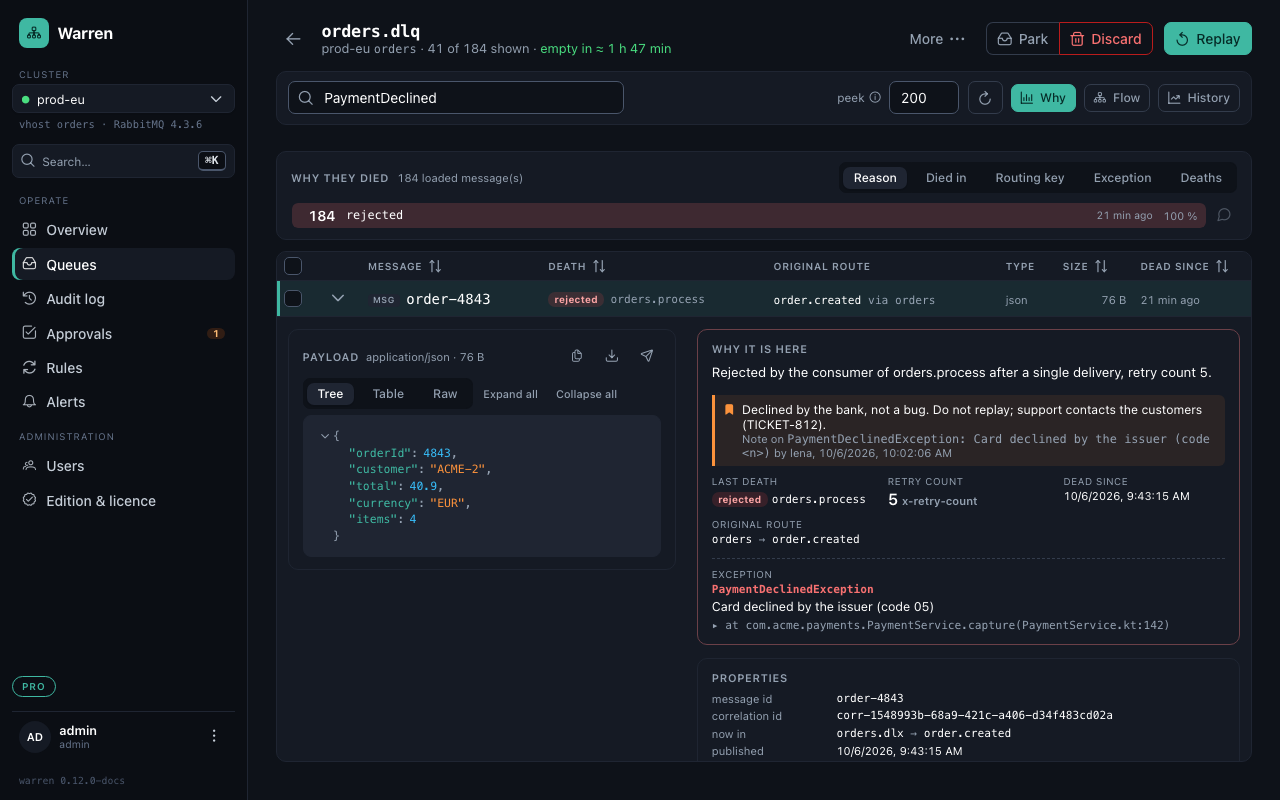
Why it is here
One sentence first: "Rejected by the consumer of orders.process after a single delivery, retry count 5." Then the details: the last death, the original route the replay would use, how long it has been dead, the exception and the first frame of its stack trace. A note on the message's group is shown here too.
Warren reads the broker's x-death, the x-exception-* and x-original-* headers of Spring AMQP's RepublishMessageRecoverer, and MassTransit's MT-Fault-* headers. A message a consumer republished itself has no death time; "dead since" then shows how long Warren has seen it waiting.
The payload
- Tree: JSON that folds, large payloads open on two levels.
- Table: one row per field path, easy to scan and copy.
- Raw: the bytes as they are.
Java class names show their short name, dates how long ago, epoch numbers a date. Each value can be copied, its path too, or become the search ("show the messages with this value"). Files sent as base64 are recognised by their content: PDF and images preview, CSV shows as a table, everything downloads under the name from a field such as fileName.
Large payloads are listed as a preview and loaded in full when you open them.
Sensitive values
JSON fields and headers whose name contains password, token, apikey, iban, email and the like are shown as ••••••, as is anything that looks like an e-mail address, an IBAN or a card number (Luhn-checked), in payloads, headers and exception texts. Operators and admins can show one message's values; viewers cannot.
Masking is for the screen only: copies, downloads, exports, edits and replays keep the real values. WARREN_MASKING_FIELDS, WARREN_MASKING_VALUES and WARREN_MASKING_ALLOW_REVEAL change what is hidden and who may show it.
Compare messages
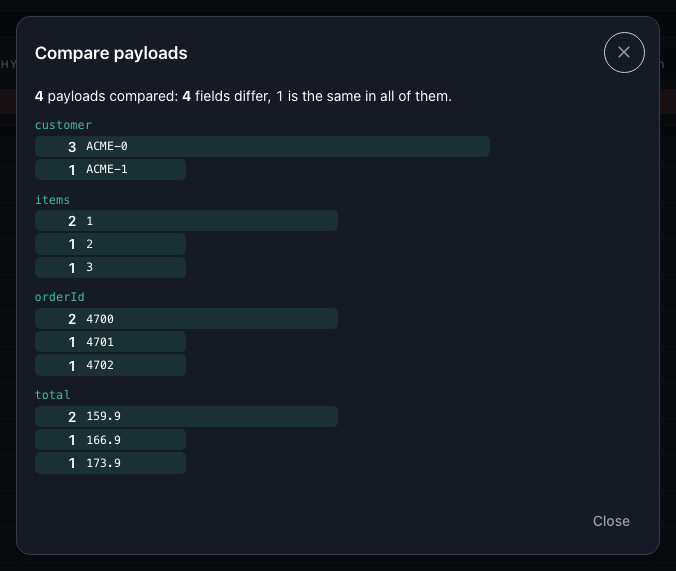
Select two or more and press Compare: Warren lists only the payload fields that differ, each value with how many of the messages carry it. Ids that are unique per message are summed up in one line, so the field that makes the difference stands out.
Download and copy
The icons above the payload copy it, download the message as JSON with its properties and headers, or open the publish dialog with a copy of it, for example to test a consumer on staging.